
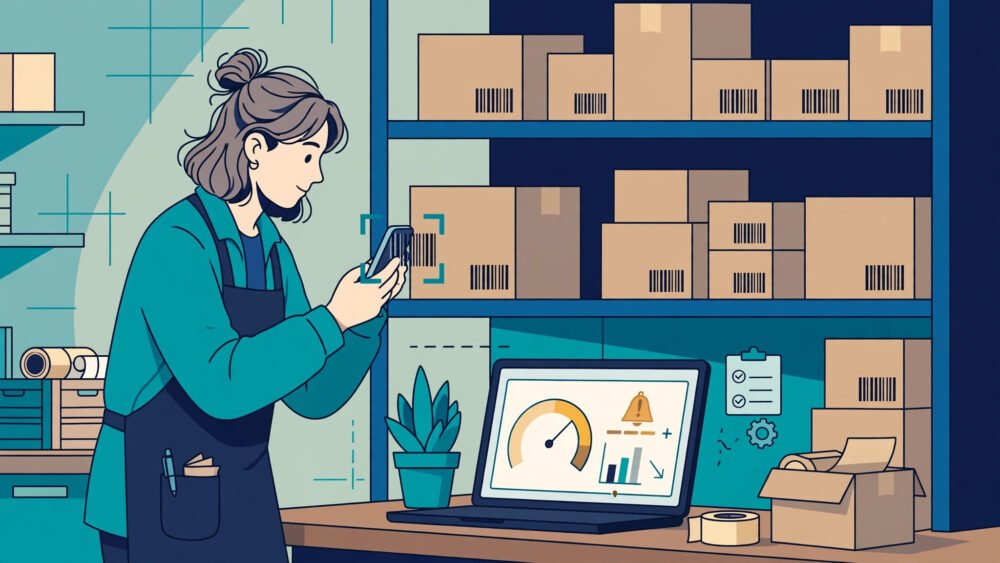
For a small business in 2026, the best inventory management software is Zoho Inventory for most shops under $10,000 a month in stock value, because it covers barcode scanning, low-stock alerts, and multi-channel selling at a price a small team can actually sustain. Shops that only sell in person should look at Square for Retail instead, and growing wholesalers should shortlist Cin7 Core. The deciding factor is not the dashboard — it is whether the software catches a stockout before your customer does.
That last point is worth pausing on, because almost every inventory tool on the market looks the same in a demo. Clean dashboards, colourful charts, and a search bar. What separates the useful ones from the shelfware only shows up on a busy Tuesday, when a delivery arrives short, two items sell at once from different channels, and someone forgets to write down a return. This guide is built on a hands-on test: I loaded the same 200-SKU catalog — a mix of apparel sizes, packaged foods with expiry dates, and small hardware parts — into the leading small-business tools, scanned barcodes with a phone, and deliberately pushed stock levels down to see which tools warned me in time.
What did the 200-SKU test actually measure?
Most inventory reviews rank tools by feature count, which rewards bloated software. I measured five things that decide whether a small business keeps using the tool after month one:
- Import speed and accuracy — how long it takes to get 200 SKUs in, with variants, and how many rows come back wrong.
- Barcode scanning in practice — phone-camera scanning at a packing bench, not a warehouse-grade scanner most small shops will never buy.
- Low-stock alerts — whether the tool warns you before you hit zero, and whether that warning reaches someone who can act on it.
- Selling on two channels at once — selling the same item in-store and online without overselling it.
- The monthly bill at real scale — what you pay once you pass the free tier’s limits, which most small businesses do within months.
The catalog mattered. A 200-SKU list with size and colour variants, batch-tracked food items, and parts sold both individually and in packs is the point where spreadsheets start breaking — and where the wrong software starts costing real money.
Which tools came out on top?
Zoho Inventory: the best all-rounder for most small businesses
Zoho Inventory won the test for the typical small business because it did the unglamorous things reliably. Importing the 200 SKUs from a spreadsheet took under 20 minutes, and only three rows needed fixing — all variant naming issues on my side, not the tool’s. Phone-camera barcode scanning worked first time on standard product labels, and scanning an item out for a sale updated stock instantly across the dashboard.
Its low-stock alerts are the strongest in this price band. You set a reorder point per item, and when stock crosses it, Zoho emails the person you nominate and flags the item on the dashboard. In the test, it caught every deliberate dip below the threshold — including one I engineered by selling the same SKU online and in-store within minutes of each other. That cross-channel sync is the feature that pays for the subscription: one oversold item that you have to refund and apologise for costs more than a month of Zoho.
Pricing is honest for a small team. There is a genuinely usable free tier for very small catalogs, and paid plans start at a level a shop doing a few hundred orders a month can justify. Watch the order-volume limits on the cheaper plans — if you grow past them, the price steps up, so check where your order count sits before committing to a year.
Square for Retail: best if you sell in person
Square for Retail is the right pick if your business is a shop counter first and a website second. Its barcode scanning is the smoothest of the tools tested — unsurprising, since Square also sells the hardware — and its stock counts update the moment a sale rings up at the till. For a single-location shop, setup is an afternoon’s work, and staff learn it faster than any other tool here.
The tradeoff is depth. Square’s purchase orders and supplier management are thinner than Zoho’s, and multi-warehouse stock gets awkward quickly. If you run one shop and sell a little online, that tradeoff is worth it. If you run two locations or a wholesale arm, it is not.
Cin7 Core: best for growing wholesalers
Cin7 Core (formerly Dear) is the tool to graduate to when your business outgrows the two above. It handled the 200-SKU catalog easily, including the batch-tracked food items, and its manufacturing and multi-warehouse features are in a different league. The price reflects that — it is about twelve times Zoho’s $29 entry plan — and setup takes days, not hours. Buy it when your stock problems are about warehouses and production runs, not when you are still counting boxes by hand.
What about the free options?
Free inventory software is tempting, and for a micro-business it can work — for a while. Zoho’s free tier covers a small catalog honestly, while Square’s inventory management starts at Plus ($49 a month per location) — there is no free Square inventory tier. But two limits bite fast: the free tiers cap monthly orders or items, and they usually drop the automation — low-stock alerts and reorder suggestions — that makes inventory software worth paying for in the first place.
My rule from the test: if you hold more than about $2,000 of stock, or you sell on more than one channel, pay for a plan with real low-stock alerts. The first stockout you prevent covers months of subscription. If you hold very little stock and sell from one place, a free tier is fine — just set a calendar reminder to check stock manually every Friday, because the tool will not do it for you.
What does inventory software cost as you grow?
A plan that looks cheap at 100 orders a month can turn expensive by 2,000, so compare the price at the volume you expect to reach, not the volume you have today. The table below uses each vendor’s own pricing page, checked on 15 November 2026, and shows the monthly cost of the cheapest plan that covers each order volume. Prices are the monthly cost on annual billing, with the month-to-month price in brackets where the vendor publishes one. Payment processing fees are separate.
| Tool | About 100 orders a month | About 500 orders a month | About 2,000 orders a month |
|---|---|---|---|
| Zoho Inventory | $29 ($39 month-to-month) | $29 ($39 month-to-month) | $79 ($99 month-to-month) |
| Fishbowl | $229 | $229 | $229 |
| Cin7 Core | $349 | $349 | $599 |
| Square for Retail | $49 per location | $49 per location | $49 per location |
| Katana | Check current price | Check current price | Check current price |
Three patterns are worth noting. First, Zoho and Cin7 Core are the only two here that charge by order volume, and both jump a tier at a clear point: Zoho moves from Standard to Premium once you pass 500 orders a month, and Cin7 Core moves from Standard to Pro once you pass 6,000 sale orders a year. Second, Fishbowl and Square charge a flat monthly price however many orders you take, so their cost per order falls as you grow. Square’s price is per location, though, so a second shop doubles it, and Fishbowl’s $229 is its entry plan, with Growth at $429 a month on annual billing if you need its extra features.
Third, Katana does not publish a fixed price for its Advantage plan, so ask for a quote before you compare it with the others. Its free plan only covers up to 30 SKUs, so it is a trial, not a home for a real catalog. Prices change, and most vendors charge more if you pay month to month, so check the vendor’s pricing page before you budget. If Square is also your till, the POS side of that choice is covered in our comparison:
Square vs Shopify POS for a small retail store
When should you move off the free plan?
A free plan is a good test, not a long-term home. It works while your catalog is small, you sell from one place, and one person does the stock. Move to a paid plan when any of these start to bite, because the cost of the plan is usually smaller than the cost of the stockouts and manual workarounds it replaces.
- Order-volume caps: Zoho’s free plan stops at 50 orders a month, so a busy month can lock you out of new sales orders.
- User and location limits: Zoho’s free plan allows one user and one location, so a second helper or a second shop needs a paid plan.
- Barcode scanning: free plans often limit or leave out barcode scanning, so counting stock by hand becomes the bottleneck.
- Multi-channel selling: selling in store and online from the same stock needs automatic sync, which free plans rarely include.
- Expiry and batch tracking: if you sell food or anything with a use-by date, you need batch and expiry tracking, which is a paid feature in most tools.
If two or more of those apply, upgrade before the next busy period, not during it. Pick the paid plan that removes the limit you actually hit, rather than the biggest plan on the page, and re-check the pricing table above at the order volume you expect next year, not this year.
How should a small business pick?
Run this five-minute check before you sign up anywhere:
- Count your SKUs including variants. A “50-product” shop with five sizes and three colours is a 750-SKU shop, and that changes which plan you need.
- List your channels. One shop, one website, or a marketplace as well? Every extra channel is a reason to pay for automatic sync.
- Name your stockout cost. What does it cost when your best seller runs out — a lost sale, a refund, a regular customer going elsewhere? That number is your software budget.
- Trial with your worst 20 items. Do not trial with a clean sample list. Import your messiest products — the ones with variants, batches, and near-identical names — and see what breaks.
- Check the barcode workflow. Scan ten items with a phone at your actual packing bench, in your actual lighting. If scanning fails there, the tool fails in real life.
The best inventory management software for small business 2026 is not the one with the longest feature list. It is the one your team still uses in month six, that warns you before a stockout, and that keeps one true stock count across every place you sell. For most small businesses, that is Zoho Inventory; for a counter-first shop, Square for Retail; and for a growing wholesaler, Cin7 Core. Pick by your channels and your stockout cost, trial it with your messiest products, and let the low-stock alert — not the dashboard — make the decision.
Inventory tools at a glance
| Tool | What the test found |
|---|---|
| Zoho Inventory | Best all-rounder for most small businesses; 200 SKUs imported in under 20 minutes with 3 rows fixed; phone-camera scanning worked first time; low-stock alerts caught every deliberate dip with per-item reorder points and email alerts; cross-channel sync prevents overselling; watch order-volume limits stepping the price up |
| Square for Retail | Best for counter-first shops; smoothest barcode scanning, stock updates at the till, afternoon setup; thinner purchase orders and supplier management, multi-warehouse awkward |
| Cin7 Core | Best for growing wholesalers; handled the catalog including batch-tracked food, manufacturing and multi-warehouse features; about twelve times Zoho’s $29 entry plan, setup takes days not hours |
Related reading: Square vs Shopify POS for a small retail store; how to switch from spreadsheets to accounting software; and how to pick a POS system for a small retail shop.
Frequently Asked Questions
What is the best inventory management software for a small business in 2026?
For most small businesses, Zoho Inventory, because it combines barcode scanning, low-stock alerts, and multi-channel stock sync at a small-business price. Square for Retail suits counter-first shops, and Cin7 Core suits growing wholesalers with multiple warehouses.
How much does inventory management software cost for a small business?
Expect a usable paid plan to start in the tens of dollars a month for a small catalog, rising with order volume and locations. Free tiers exist but usually cap items or orders and drop automated low-stock alerts, so budget for a paid plan once you hold more than about $2,000 of stock or sell on two channels.
Can I manage inventory with a spreadsheet instead?
Up to about 50 SKUs sold from one place, yes — with strict discipline. Past that, or once you sell online and in-store, spreadsheets fail because two people can sell the last unit at the same time and nothing stops them. That oversell is exactly what inventory software prevents.
Do I need a barcode scanner, or is my phone enough?
A phone camera is enough for most small businesses starting out — all three tools recommended here scan reliably with a phone. Buy a dedicated handheld scanner only when scanning volume gets high enough that phone scanning slows down packing, usually past a few hundred scans a day.
